Why Is My Thermostat Blank? 9 Easy Fixes You Can Try Today
Thermostat screen blank or dead? Try these simple fixes for batteries, breakers, wires, and smart models. Most take under 10 minutes.
On this page
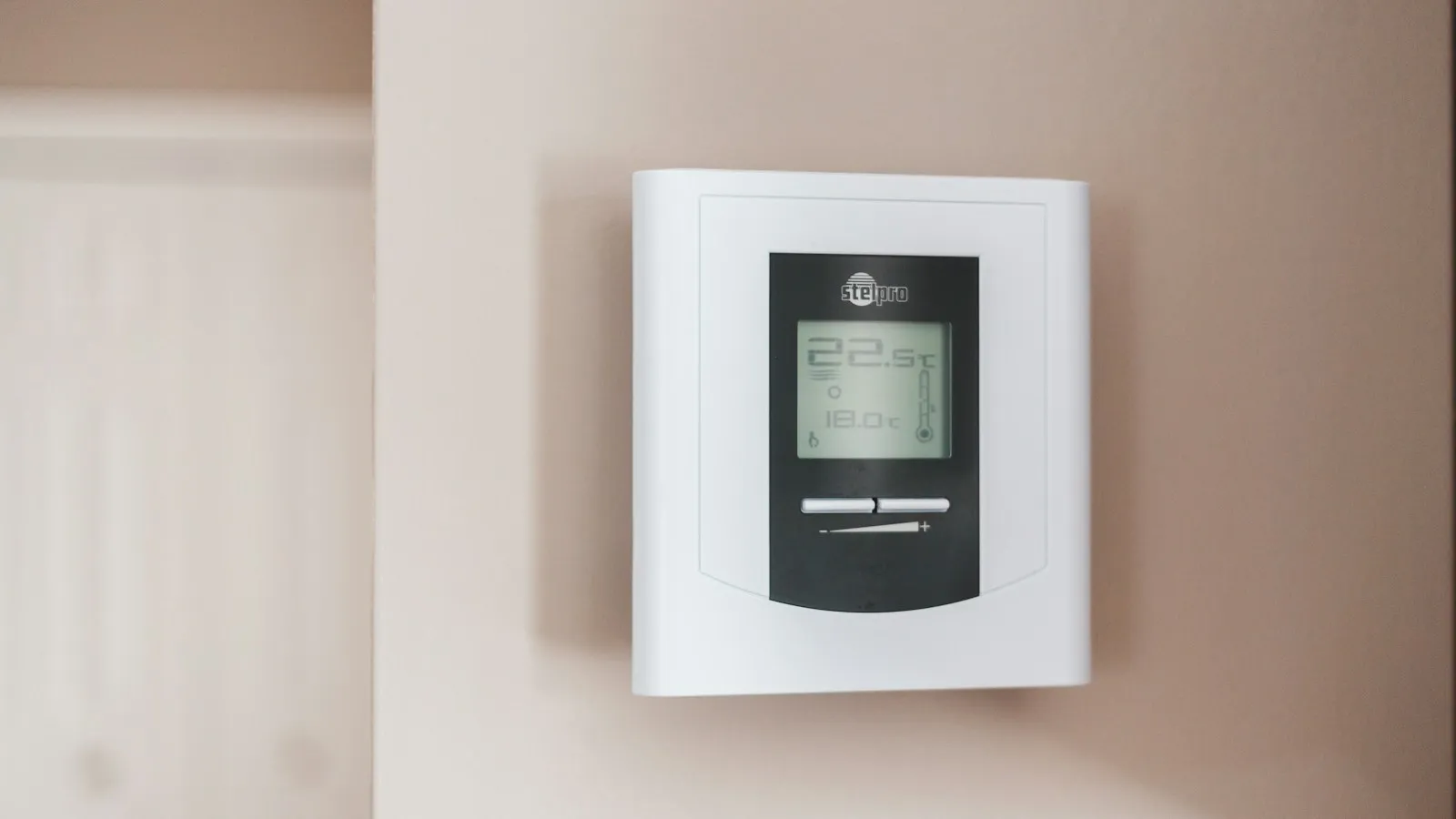
A blank thermostat usually means it has lost power. Start with new batteries. Then check your breaker, the furnace power switch, and the furnace door. If the screen is still dark, the cause is often a loose wire, a tripped safety switch, or a thermostat that has died.
You walk up to the wall and the screen is dark. Nothing lights up. The house is getting cold, or hot, and you cannot change a thing.
Take a breath. A blank thermostat feels scary, but the fix is often simple. Many people solve it in under ten minutes with no tools.
This guide walks you through nine fixes, from easiest to hardest. You will also learn how to tell what kind of thermostat you have, what to do when it is still blank after new batteries, and when it is time to call a pro.
Start here: What kind of thermostat do you have?
The fix depends on how your thermostat gets power. There are three main types.
| Type | How it gets power | Most common reason for a blank screen |
|---|---|---|
| Battery thermostat | AA or AAA batteries | Dead or backward batteries |
| Hardwired thermostat | Low-voltage wires from the furnace | A power problem at the furnace |
| Smart thermostat | Wires from the furnace, sometimes a built-in battery | Weak power, a loose wire, or a software glitch |
To check, gently pull the front cover. Look for a battery slot. If you see one, you have a battery model. If you only see small colored wires, it is hardwired or smart.
Many hardwired models also have batteries as a backup. So check for both.
Fix 1: Replace the batteries the right way
This is the number one cause, so start here.
- Pull off the front cover or slide the thermostat off its plate.
- Take out the old batteries.
- Put in two brand-new alkaline AA or AAA batteries. Match the type printed inside.
- Line up the plus and minus ends exactly as shown. Backward batteries will keep the screen dark.
- Put the cover back on and press it until it clicks.
Do not use rechargeable batteries unless the manual says you can. They hold less power and can cause the screen to go blank again. Also do not mix old and new batteries. One weak battery can drain the whole set.
If the display was dim or flickering before it went dark, that was a low battery warning. Next time, change the batteries as soon as you see that sign. For more battery fun, see our guide on why your smoke detector keeps chirping, since it is a good reminder to check all your home batteries at the same time.
Fix 2: Check the circuit breaker
If your thermostat is hardwired, it may lose power when a breaker trips. Your furnace and air conditioner run on a breaker, and the thermostat gets its tiny bit of power from them.
Here is what to do.
- Go to your breaker panel.
- Look for a switch that is halfway between ON and OFF, or fully OFF.
- Find the ones labeled "furnace," "HVAC," "air handler," or "AC."
- Flip the switch all the way to OFF, then back to ON.
Wait a minute and look at the thermostat. If it lights up, great. If the breaker trips again right away, stop. Do not keep flipping it. That is a sign of a bigger problem, and our guide on a circuit breaker that keeps tripping explains what to do next.
Fix 3: Check the furnace power switch and door
This one surprises many people. Most furnaces have a switch that looks just like a light switch. It is often on the wall near the furnace or on the furnace itself. Someone may have turned it off by mistake.
Also, many furnaces have a small safety switch behind the front panel door. If the door is not shut tight, the furnace shuts off. When that happens, the thermostat can go dark too.
Here is a quick check:
- Find the furnace switch and make sure it is ON.
- Open the furnace panel and put it back on firmly.
- Look for a small button that the door presses in. Make sure it is pushed in when the door is closed.
If you recently changed your furnace filter, the door may not have clicked back in place. This is a very common cause.
Fix 4: Check the air conditioner drain line
Your air conditioner makes water when it cools the air. That water leaves through a drain line. Many systems have a safety switch, called a float switch, in that line. If the drain gets clogged, the switch shuts the whole system off to stop a water leak.
Sometimes this also cuts power to the thermostat.
Signs this may be your problem:
- The thermostat went blank on a hot, humid day.
- You see water near your indoor unit.
- The air conditioner stopped working at the same time.
You can look for a pipe near the indoor unit with a small vent cap. If water is backed up, the line needs to be cleared. A pro can do this fast. If your home feels sticky all the time, our article on why your house feels humid even with the AC on can help too.
Fix 5: Rule out a power outage
It sounds silly, but check this. If the power is out, your thermostat may be blank. Look at your lights. Check with a neighbor. Look at your power company's outage map on your phone.
If the whole area is out, wait for power to come back. The thermostat should light up again on its own. Our guide on what to do if there is a power outage has a simple checklist so you stay safe and warm.
If the power is on everywhere else in your house, keep going.
Fix 6: Reset the thermostat
A reset can clear a small glitch. The steps depend on your model, but here is the easy way:
- Take the batteries out.
- Wait 30 seconds.
- Put the batteries back in.
- If your model has a reset button, hold it for a few seconds.
For a wired thermostat, you can turn off the furnace breaker for one minute and turn it back on. This is like restarting your phone. It gives the system a fresh start.
If your model has a menu, check the screen for the words "reset" or "restore." Do not do a factory reset unless you are ready to set your schedule again.
Fix 7: Look for loose wires
Over time, wires can come loose, especially after someone installs a new thermostat. A loose wire cuts power, and the screen goes blank.
This fix is simple, but be careful.
- Turn off the furnace breaker first.
- Pull the thermostat off its wall plate.
- Look at the small wires. They should sit snug in their slots.
- Gently push any loose wire back in. If a wire has a bent or broken tip, you may need to trim it a little and try again.
- Put the thermostat back and turn the breaker on.
Take a photo of the wires before you touch anything. That way you can put them back in the same spots. These wires carry low power, so the risk of a shock is small. Still, turning the power off first is the safe habit.
If you do not feel comfortable, skip this one. A pro can fix it in minutes.
Fix 8: Fix a smart thermostat
Smart models like Nest or ecobee do more than basic ones. They also need steady power. If the power is weak, the screen can go blank, restart, or lose its Wi-Fi.
Try these steps:
- Check that the thermostat is snapped firmly onto its base.
- Restart it using the menu or a small reset button.
- Make sure your Wi-Fi is working. If it is not, see our Wi-Fi troubleshooting steps.
- Update the thermostat in its app.
Many smart thermostats need a special wire, called a C-wire, to get steady power. If yours does not have one, it may drain its own battery and go dark. Ask a pro to add a C-wire or a power adapter.
Fix 9: Check for a blown fuse or a failed thermostat
If nothing above worked, there are two more possibilities.
A blown fuse. Your furnace has a small circuit board. It usually has a little fuse that protects the low-voltage wires. If a wire touches something it should not, the fuse can blow and the thermostat goes dark. Changing it is simple for a pro, but you must find out why it blew.
A dead thermostat. Thermostats do not last forever. Many work for about 10 years. If yours is old, the screen may simply be worn out. A new thermostat is often not too costly, and it can lower your energy bills.
If you are not sure, a heating and cooling tech can test the power at the wires. This tells you if the problem is the thermostat or the furnace.
My thermostat has no power: where does it get power from?
A thermostat gets power in one of two ways, and knowing which tells you where to look.
- Batteries. Many basic models run on AA or AAA batteries. A blank screen with old batteries almost always means the batteries are dead or in backwards.
- Wiring from the furnace or air handler. Most smart and many digital models take 24 volts from a small transformer in the heating and cooling equipment, through the R and C wires. If that power is cut, the screen goes blank.
If the thermostat is hardwired and has no power, check in this order: the breaker for the furnace or air handler, the furnace power switch and door, the air conditioner drain line float switch, and a blown low-voltage fuse on the furnace control board. Fixes 2, 3, 4 and 9 above cover each of these. A smart thermostat with no C wire can also lose power on its own, as described in Fix 8.
Why is my thermostat blank after changing the batteries?
This is one of the most common questions. You put in new batteries, and the screen is still dark. Here is what to check:
- The batteries are backward. Look again at the plus and minus signs.
- The batteries are bad. Even new ones can be weak. Try another pack.
- The contacts are dirty. Gently wipe the metal tabs with a dry cloth or a cotton swab.
- The thermostat needs a reset. Take out the batteries for a full minute, then try again.
- The thermostat is not getting wired power. If it is hardwired, use Fixes 2, 3, and 7.
If the screen has lights at all, even faint ones, the thermostat may still work. If there is no light at all, think power problem first.
Quick table: Symptom and likely cause
| What you see | Most likely cause | What to try |
|---|---|---|
| Dim or flickering screen before it died | Low batteries | Fix 1 |
| Blank, and furnace and AC are both off | Tripped breaker or power switch | Fixes 2 and 3 |
| Blank after a filter change | Furnace door not shut | Fix 3 |
| Blank on a hot day with water near the unit | Clogged drain line | Fix 4 |
| Blank after a storm | Power outage or surge | Fix 5 |
| Blank right after a new install | Loose wire | Fix 7 |
| Smart thermostat keeps restarting | Weak power or no C-wire | Fix 8 |
| Blank with nothing else wrong | Failed thermostat or fuse | Fix 9 |
Stay safe while you fix it
A few rules keep you safe.
- Turn off the power before you touch any wires.
- Never use a wet hand or a wet tool near electrical parts.
- If you smell gas, leave your home and call your gas company right away.
- If you smell something burning, see our guide on the burning smell when the heat turns on.
- Do not open the furnace box if you are unsure what you are doing.
What to do until it is fixed
If the thermostat stays blank in cold weather, you still need to protect your home. Keep warm with blankets and close doors to small rooms. If it will be a long time, learn how to keep your pipes from freezing. If you use a plug-in heater, check what it costs to run with our heater running cost tool.
You can also lower your heating needs by sealing drafts. Our guide to spotting drafts around windows, doors, and the attic shows you how.
When to call a pro
Call a heating and cooling pro if:
- The screen is still blank after you try all nine fixes.
- The breaker keeps tripping.
- You see water, burn marks, or melted wires.
- You hear loud buzzing from the furnace.
- The system turns on and off by itself.
When you call, tell them what you already tried. It saves time. Also ask for the price before the visit so there are no surprises.
How to keep it from happening again
A few small habits can help.
- Change batteries once a year. Many people do it when the clocks change. Check when the clocks change and use that day as your reminder.
- Change your furnace filter on time, and close the door tightly afterward.
- Keep your air conditioner drain line clear.
- Dust the thermostat gently once in a while.
- Replace an old thermostat before it fails in the middle of winter.
For more help with common house trouble, browse all our home repair guides. If your furnace runs but does not warm the house, read why your furnace is blowing cold air.
The bottom line
A blank thermostat is usually a power problem. Start with the easy steps: new batteries, the breaker, the furnace switch, and the furnace door. Then move on to wires, smart thermostat issues, and a possible fuse or failed unit.
Most people fix this without a repair bill. And if you do need help, you will know exactly what to tell the pro. Stay warm, stay safe, and keep this guide handy for next time.
Related: a heating system with cold spots may need air let out. See how to bleed a radiator.
Sources
This guide was checked against these official and manufacturer sources.
Frequently asked questions
Why is my thermostat screen blank but the furnace is working?
The furnace may still run if the thermostat has a backup signal, or if the thermostat only lost its display power. A weak battery, a loose wire, or a failing screen are common causes. Try new batteries first.
Can a tripped breaker make my thermostat go blank?
Yes. A hardwired thermostat gets power from your furnace or air handler. If the breaker for that system trips, the thermostat can go dark. Reset the breaker once. If it trips again, call a pro.
How long do thermostat batteries last?
Most last about one year. Some last longer. If the screen looks dim or shows a low battery sign, change them right away.
Does a thermostat go blank when the power goes out?
Yes. If the power is out, the thermostat may go dark until the power returns. It should come back on its own.
Should I replace my thermostat if it is blank?
Not yet. Rule out batteries, breakers, wires, and the furnace switch first. If none of those fix it, and the thermostat is old, a new one may be the best choice.

Written by
Agha Ali Abbas
Agha Ali Abbas is the founder and editor of TimeToNote. He has worked in SEO and content writing for 18 years, and he checks every guide against manufacturer documentation and official sources before it goes live.
Related guides
Home Problems
Why Is My Furnace Blowing Cold Air? 9 Causes and Easy Fixes
Furnace running but blowing cold air? Check these 9 common causes, from the thermostat fan setting to a dirty filter, and learn which fixes you can do yourself.
7 min read
Home Problems
Burning Smell When the Heat Turns On: Normal or a Problem?
A dusty burning smell the first time you turn on the heat is usually normal and fades in a few hours. Learn which smells are safe, which are dangerous, and what to do.
7 min read
Home Problems
Why Is My Smoke Detector Chirping? 8 Causes and How to Stop It
Smoke detector chirping every 30 or 60 seconds, even with a new battery? Learn what each chirp means, how to reset it, and when to replace the whole alarm.
7 min read
More guides you may need
Home Problems
Bissell SpotClean Pet Pro Not Spraying? Causes and Fixes
Bissell SpotClean Pet Pro won't spray? Check the tank seating, the gasket, the nozzle and the trigger with these simple steps before you replace the machine.
4 min read
Home Problems
Carbon Monoxide Detector Beeping? What Each Sound Means
Carbon monoxide detector beeping or chirping? Learn what the alarm, low battery and end-of-life sounds mean, when to leave the house and how to stop the noise.
6 min read