Ring Doorbell Not Ringing Inside the House? 8 Fixes
Ring doorbell works on your phone but makes no sound inside? Check the chime type, the In-Home Chime setting, the wiring and your doorbell model.
On this page
A Ring doorbell that notifies your phone but makes no sound inside is usually missing a setting, set to the wrong chime type, or paired with a chime it cannot control. Open the Ring app, check that the in-home chime is turned on and that the chime type matches your real chime, wait a few minutes, and test again. Then check the wiring and your doorbell model.
Someone presses the button, your phone buzzes with a notification, and the house stays silent. It is an easy way to miss a delivery or a visitor. The reasons are usually simple, and most can be checked from the app in a few minutes.
How can I hear my Ring doorbell inside the house?
There are four ways, and which one works depends on your doorbell:
| Your setup | How you hear it inside |
|---|---|
| Hardwired doorbell with a working chime | Turn on Ring my In-Home Chime in the Ring app so it rings your existing chime |
| Battery doorbell, or a model with no chime support | Add a Ring Chime or Ring Chime Pro, which plugs into an outlet and plays a sound |
| You have Echo speakers | Turn on Alexa announcements in the Alexa app, so the speaker announces the ring |
| Any model | Keep push notifications on in the Ring app, so your phone alerts you |
The sections below explain each fix in order.
First, check that your model can ring an indoor chime
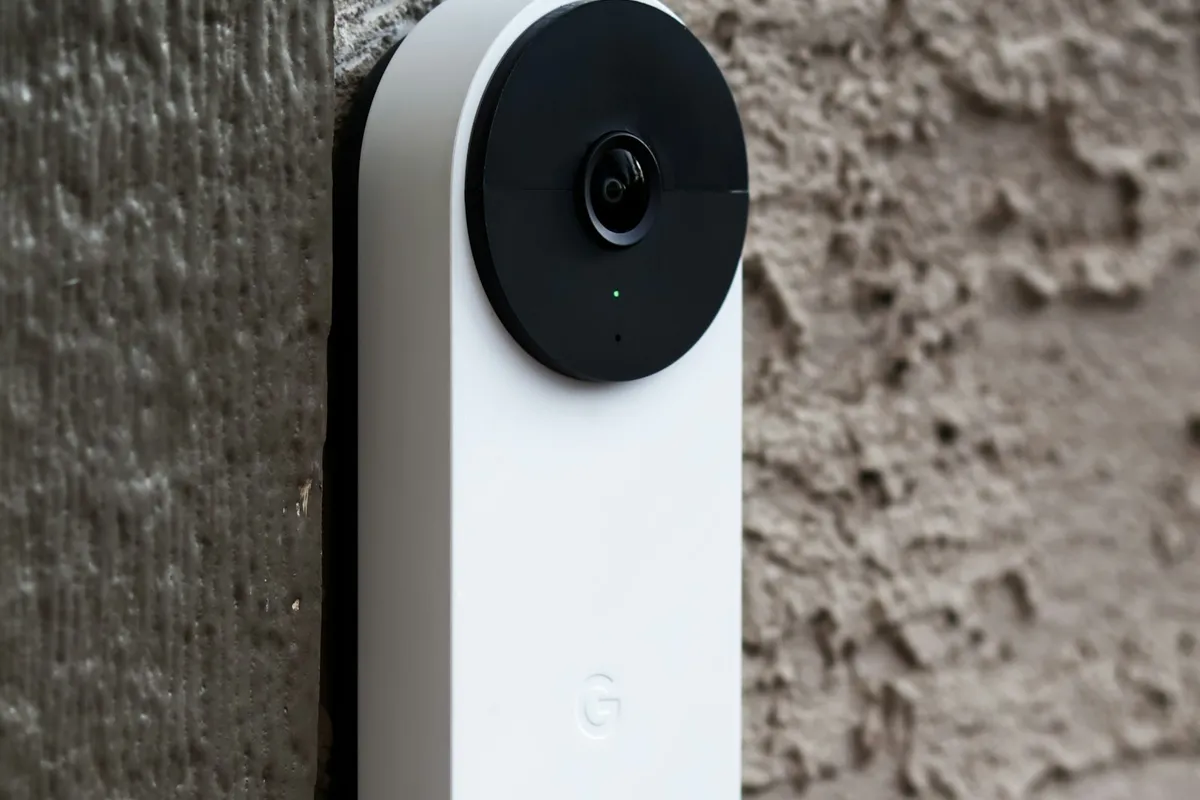
This step saves a lot of time. According to Ring, several models do not support in-home chimes: the Video Doorbell Wired, the Wired Doorbell 2K Plus, the Wired Doorbell 4K Pro (non-PoE) and the Peephole Cam. If you own one of these, no setting will make your old ding-dong ring. You need a Ring Chime, a Ring Chime Pro, or Alexa devices that announce the ring.
For other models, there are two kinds of indoor sound:
| Option | What it is |
|---|---|
| Your existing mechanical or digital chime | The chime already wired into your house. The doorbell rings it when it is wired correctly and set up in the app |
| A Ring Chime or Ring Chime Pro | A small plug-in speaker that plays the sound over Wi-Fi |
| Alexa announcements | Echo devices that announce the ring |
Fix 1: Turn on "Ring my In-Home Chime"
This is the most common cause on hardwired doorbells. In the Ring app, open your doorbell, go to Device Settings, then In-Home Chime Settings (the menu names can differ a little by model). Make sure Ring my In-Home Chime is switched on.
Ring says this toggle must be on for hardwired models. Save the change and wait a few minutes before you test.
Fix 2: Make the chime type match your real chime
If the type in the app is wrong, the doorbell sends the wrong kind of signal, and your chime stays silent or only rings part of the time. Ring describes three settings:
- Mechanical. A bell and a hammer that make a traditional ding-dong.
- Digital. A speaker that plays recorded tones. Ring has Digital Type 1 and Digital Type 2.
- None. For plug-in adapters, chimes that you bypassed, or doorbells wired straight to a transformer.
Open the advanced settings, pick the type that matches your chime, save, wait a few minutes, and press the button to test. For some models Ring offers automatic chime detection. In that case, choose "My chime rang partially" or "My chime didn't ring" after a test, and the app adjusts the setting for you.
Fix 3: Make sure the doorbell is online
Open the Ring app and check that the doorbell shows as online, and that Live View works. A doorbell that has lost Wi-Fi cannot send a message to a Ring Chime, and it may not behave properly with the app. If it shows offline, see what to check when Wi-Fi is not working, and move the router or an extender closer if the signal is weak.
Fix 4: Check the wires near the chime
If you have a mechanical chime, loose or badly placed wires can stop it from ringing. Ring suggests moving any wires away from the chime's moving parts. A wire that rubs on the hammer can block it, and a loose wire at a terminal can break the circuit.
Also look for these:
- Connections that have come loose or have corroded.
- Wires that are cut, cracked or pinched.
- A wire attached to the wrong terminal on the chime.
Turn off the power at the breaker before you touch any wiring, and take a photo of the connections before you change anything.
Fix 5: Do Ring's terminal test
Ring describes a simple test for hardwired doorbells to find out whether your chime works. Remove the doorbell from the wall, then touch the metal part of a screwdriver to both terminal screws at the same time, or touch the two wires together. If everything is wired correctly, you should hear your chime.
- If the chime rings, the chime and wiring are fine, and the problem is in the doorbell, its power, or its settings.
- If the chime stays silent, the problem is in the chime, the wires, or the transformer.
Ring says not to do this test if your chime has been bypassed, or if the doorbell is wired straight to a transformer. This is low-voltage work, but if you are not comfortable, ask a professional.
Fix 6: Check the power and the transformer
A hardwired Ring doorbell needs enough power from the doorbell transformer, which is a small box that lowers the voltage for your doorbell. If the transformer is too weak, the doorbell may charge poorly, restart, or fail to trigger the chime. Many wired Ring models need a transformer in the 16 to 24 volt AC range, but the exact figure depends on the model, so check your model's requirements on the Ring support site.
Signs of a power problem are a doorbell that keeps going offline, a battery that will not charge, and a chime that only rings sometimes. Ring has a support page on troubleshooting power for hardwired doorbells. If you want to understand how a transformer fails, what causes a blank thermostat explains the same low-voltage idea. A transformer that is too weak or faulty is best tested by an electrician or a doorbell installer.
Fix 7: Add a Ring Chime or use Alexa
If your model cannot ring your old chime, or your chime is not compatible, the easy way out is to add a Ring Chime or Ring Chime Pro. It plugs into an outlet near where you want to hear the doorbell, and you set it up in the Ring app. The Chime Pro also works as a Wi-Fi extender, which helps when the doorbell is far from the router.
Another option is an Echo speaker that announces the ring. This costs nothing if you already have an Echo.
Fix 8: Restart the doorbell and reinstall if needed
If the settings and wiring look right but the chime still does not ring, restart the doorbell. You can usually do this from the Ring app or with the reset button on the doorbell, as described in the manual for your model. As a last resort, remove the doorbell from your account and set it up again, then redo the chime settings.
When to call a professional
Call an electrician or a doorbell installer if:
- The chime does not ring even when you bridge the terminals.
- You see burned wires, a hot transformer, or a transformer that hums.
- You are unsure which wire goes where.
- The doorbell restarts or goes offline over and over, which points to a power problem.
Mains wiring and breakers are not a good place to experiment. Switch off the breaker first, and call someone if you are not sure.
How to avoid the problem
- Test the chime after any update, power cut or router change.
- Note the chime type in the Ring app, so you can set it again.
- Keep the doorbell's Wi-Fi signal strong.
- If you move house, test the doorbell wiring and chime before you rely on it.
- Add a Ring Chime if you often miss the sound, because it is louder and easier to place.
Battery or hardwired: what changes
How your doorbell gets power changes how it rings indoors:
- Hardwired. The doorbell uses the low-voltage doorbell wires, and it can ring your existing chime when it is wired and set up correctly. Most of the steps above apply to this setup.
- Battery only. A battery doorbell is not connected to the doorbell wires, so it cannot trigger a mechanical chime. It needs a Ring Chime, a Ring Chime Pro or Alexa announcements to make sound indoors.
- Battery doorbell with a wired connection. Some battery models can be wired to the doorbell wiring to charge. That does not always mean the old chime will ring, so check your model's setup page.
If you replaced an old doorbell button with a Ring, and the old chime used to ring, check whether the old wires were connected to the new doorbell, and whether a small "bypass" or "pro power kit" is needed for your digital chime. Ring explains this for each model on its support site.
If you added a Ring Chime and it is silent
A Ring Chime or Chime Pro is simple, but it also has settings that can leave it silent:
- Check that it is plugged into a working outlet. A chime on a switched outlet or a power strip that is off will not make a sound.
- Check the volume and the tone in the Ring app. A very low volume is easy to miss.
- Look for a snooze or mute setting in the app. A chime snoozed for hours will stay quiet.
- Make sure the chime is connected to the same Wi-Fi as the doorbell, and that it is not too far from the router.
- If it was set up long ago, remove it in the app and add it again.
Phone rings but the house does not: a quick checklist
| Check | Where |
|---|---|
| Model supports an in-home chime | Ring's support page for your model |
| Ring my In-Home Chime is on | Ring app, In-Home Chime Settings |
| Chime type matches (mechanical, digital, none) | Ring app, advanced chime settings |
| Waited a few minutes after saving | Test after the doorbell applies the change |
| Doorbell is online and Live View works | Ring app, device status |
| Wires clean, tight and clear of the chime parts | At the chime and doorbell |
| Ring Chime volume and snooze | Ring app, device settings |
| Alexa announcements turned on, if you use them | Alexa app |
Work down the list in order. Most cases are solved by the second or third check, and the wiring checks come later because they take longer.
Quiet hours and notifications are different from the chime
It is easy to mix these up. The phone notification and the indoor chime are separate. A notification can arrive even when the chime is turned off, and a chime can ring even when your phone is on silent. If you only hear the phone, the chime path is the problem. If you hear neither, check whether the doorbell is online and whether notifications are on for the Ring app on your phone.
The short version
When a Ring doorbell does not ring inside, check your model first, because some cannot ring an indoor chime. Then turn on Ring my In-Home Chime, set the chime type to match your real chime, wait a few minutes, and test. Check that the doorbell is online, look at the wires near the chime, and use Ring's terminal test. If the wiring or transformer is the problem, call an electrician, or add a Ring Chime.
Sources
This guide was checked against these official and manufacturer sources.
Frequently asked questions
How can I hear my Ring doorbell inside the house?
Turn on the in-home chime in the Ring app if your doorbell is hardwired to a chime. If it is battery powered, add a Ring Chime or Ring Chime Pro, or use Alexa announcements on an Echo speaker.
Why does my Ring doorbell not ring inside the house?
The doorbell may not be set to ring your in-home chime, the chime type in the app may not match your real chime, the wiring may be loose, or your model may not support an in-home chime at all. Some models need a Ring Chime or an Alexa announcement to make sound indoors.
Which Ring doorbells cannot ring a mechanical chime?
Ring lists the Video Doorbell Wired, Wired Doorbell 2K Plus, Wired Doorbell 4K Pro (non-PoE) and Peephole Cam as models that do not support in-home chimes. They need a Ring Chime, a Ring Chime Pro, or Alexa devices to make a sound inside.
How do I find out if my chime type is mechanical or digital?
A mechanical chime uses a bell and a hammer to make a traditional ding-dong sound. A digital chime plays recorded tones through an electronic speaker. The type in the Ring app must match the one you have.
How long should I wait after changing the chime settings?
Give the doorbell a few minutes to apply the change before you test it. Ring says to wait after saving the settings and then press the doorbell button to check.
Do I need an electrician?
Not for app settings. If the chime still stays silent after you check the type and the wiring, or you are unsure about the transformer, an electrician or a doorbell installer can test it safely. Switch off the breaker before touching any wiring.

Written by
Agha Ali Abbas
Agha Ali Abbas is the founder and editor of TimeToNote. He has worked in SEO and content writing for 18 years, and he checks every guide against manufacturer documentation and official sources before it goes live.
Related guides
Home Problems
Why Is My Thermostat Blank? 9 Easy Fixes You Can Try Today
Thermostat screen blank or dead? Try these simple fixes for batteries, breakers, wires, and smart models. Most take under 10 minutes.
11 min read
Internet & Apps
Why Is My Wi-Fi Not Working? How to Find the Problem and Fix It
Wi-Fi down on one device or all of them? Use this simple checklist to find out if the problem is your device, your router, or your internet provider.
8 min read
Home Problems
Smoke Detector Going Off for No Reason? Causes and Fixes
Smoke alarm going off with no smoke or fire? Dust, steam, age and interlinked alarms cause most false alarms. Here is how to find the cause and stop it safely.
5 min read
More guides you may need

Home Problems
Whole House Water Filter Installation Cost: What You Will Really Pay
How much does whole house water filter installation cost? See ranges for DIY vs plumber, hidden extras like permits, and what changes the price.
4 min read

Home Problems
Why Does My Dishwasher Smell? Causes and How to Fix It
Dishwasher smells like rotten eggs, mildew or wet dog? Clean the filter, drain, gasket and spray arms, then run a vinegar cycle. Here is the full checklist.
4 min read